Copy an Existing Permit
Status:  Request →
  Awaiting Validation
Reuse an existing permit as the starting point for a new one, then re-assess it against the current work conditions and submit it for validation.
When to use
Use this task when new work is similar to a permit that already exists, to save re-keying. It does not apply to permits created from a routine (see Create a Permit from a Routine Permit).
Before you start — check before launching the task
- You hold the Permit Requester role.
- You have identified a suitable source permit and understand how the new work differs from it.
- You are ready to re-assess the risk assessment — copying does not carry over a valid assessment of the new conditions.
Step-by-step
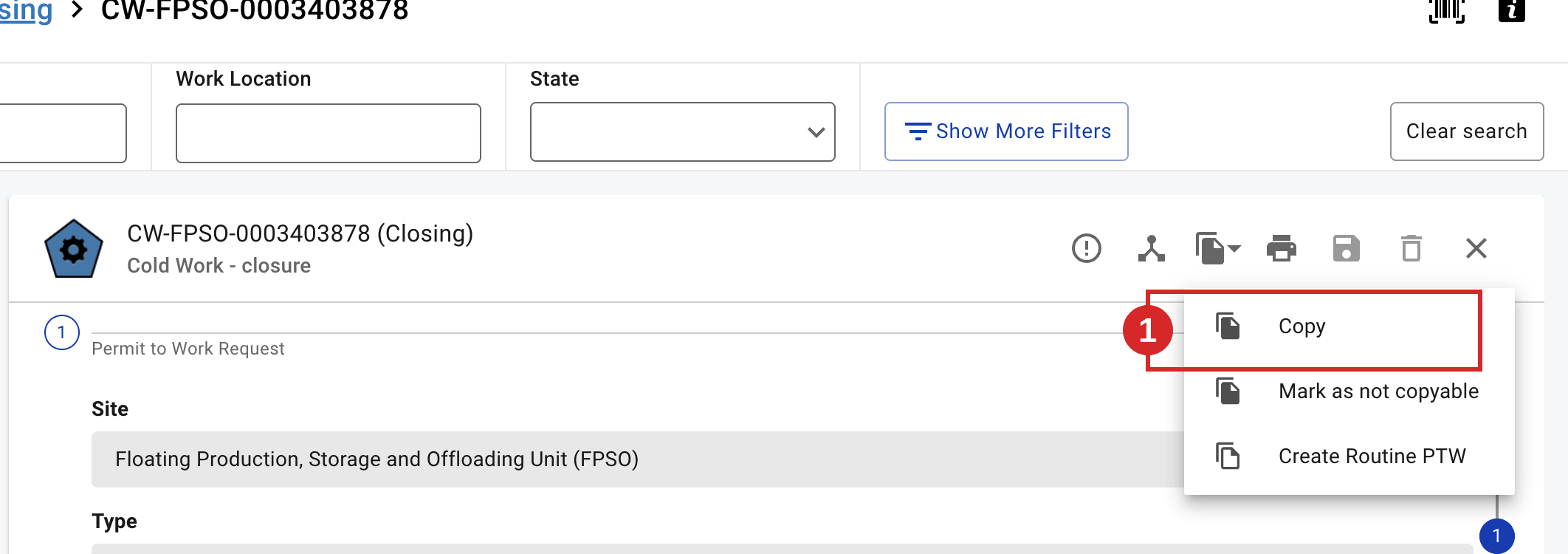
- Open the source permit and select Copy. A new permit opens in Request, pre-filled with the copyable fields.
- Review every copied field against the current work: scope, locations, equipment, dates and certificate requirements. Update what differs. An ICC/INH attached to the source is copied only if it is in an eligible state — otherwise re-attach it (see Attach an Isolation Certificate (ICC) / Attach an Inhibit Certificate (INH)); file attachments copy across except from the Request state. Authorisation Fast-Track is carried over only for a Shutdown permit whose source had it set to Yes (optional).
- Re-open and re-assess the risk assessment (hazards, controls, prerequisites) for the new conditions.
- Re-enter any field that was not copied (required fields marked with a red asterisk).
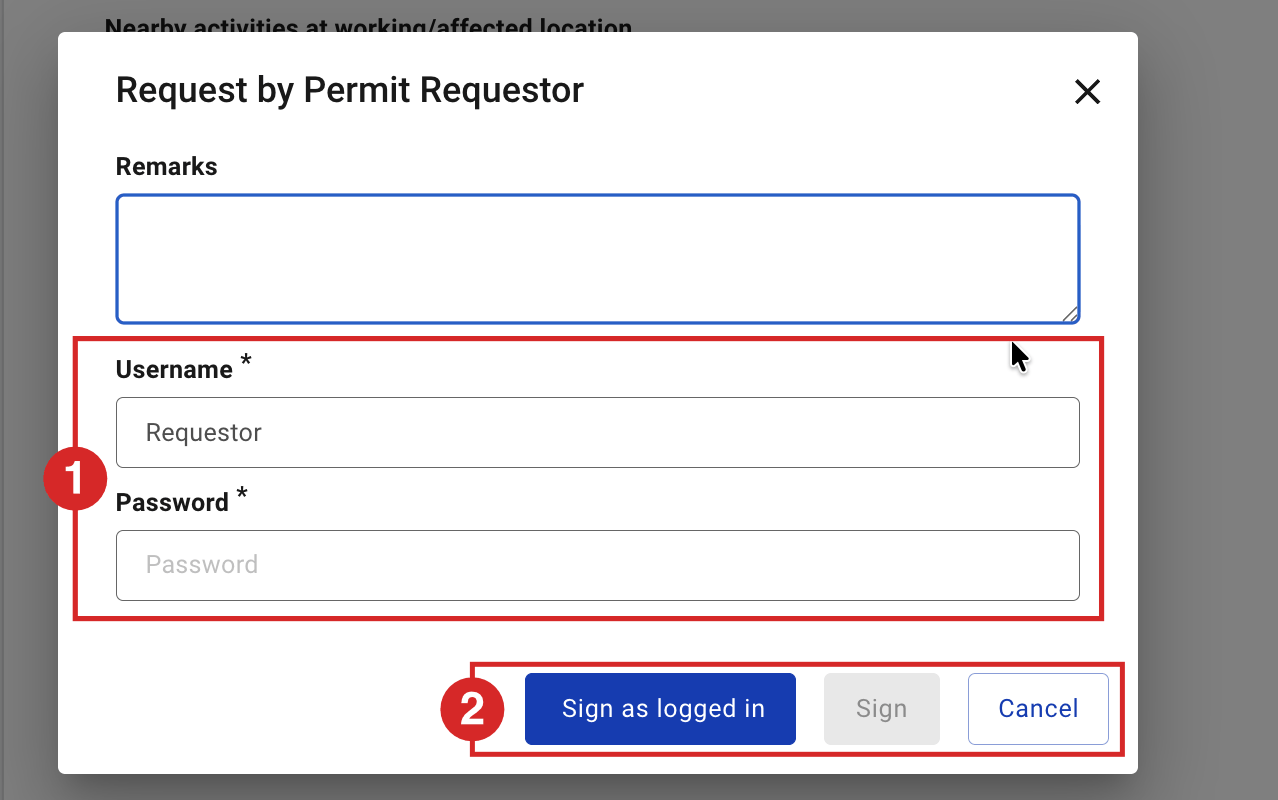
- Sign Request by Permit Requestor to submit the permit. The signature dialog is the same as for a permit created from new.
Expected result
The permit moves from Request to Awaiting Validation. The next task is Validate a Permit.
Key Referentiel rules
- Reuse does not remove the need to check current work conditions. A copied permit must be re-assessed against the actual situation on site. (CR-GR-HSE-402, Req 3.2.1)
- A permit to work is based on a risk analysis that reflects the present type of work, tools, installation and surroundings — not those of the source permit. (CR-GR-HSE-402, Req 3.2.1)
- For high-risk work, a joint site visit by the approving and performing authorities is still required, even on a copied permit. (CR-GR-HSE-402, Req 3.2.2)
Tips & pitfalls
Tip — treat a copy as a draft, not a finished permit. Walk through every field as if it were new.
Pitfall — keeping the copied RAB/RAD unchanged. Copying does not reassess the risk; if the conditions differ, redo the assessment before signing.
Common mistakes
| Mistake | Consequence |
|---|---|
| Submitting a copy without reassessing the risk | Controls may not match the real hazards; permit reverted or unsafe |
| Not updating locations/equipment from the source | Work authorised for the wrong place or item |
| Assuming certificates copied across in a valid state | Issue blocked later when the ICC/INH is not in the required state |