Add a Counter Signature
Supporting action. Available on a permit in all states except Request and Closed, to any role.
Add a counter signature to a permit to record an additional person's acknowledgement.
When to use
Use this task when an additional signatory needs to be recorded on the permit (e.g. a worker or a witness acknowledgement), in line with local practice. (Exact business cases — TO BE CONFIRMED.)
Before you start — check before launching the task
- You can access the permit; counter signatures are open to all roles.
Step-by-step
- Open the permit and select Add a Counter Signature.
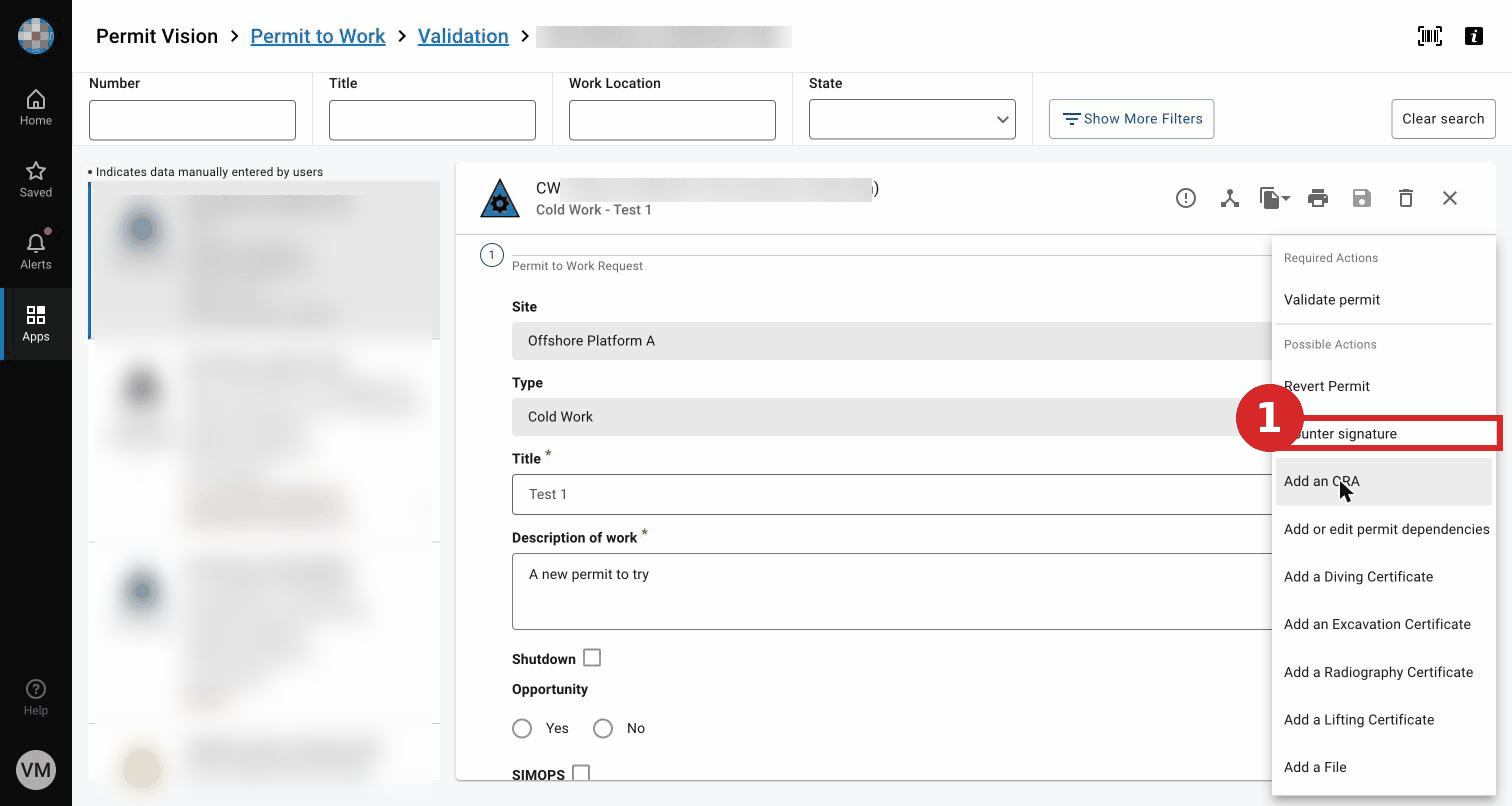
- Sign (as the logged-in user or with another user's credentials). (When a counter signature is required vs optional — TO BE CONFIRMED.)
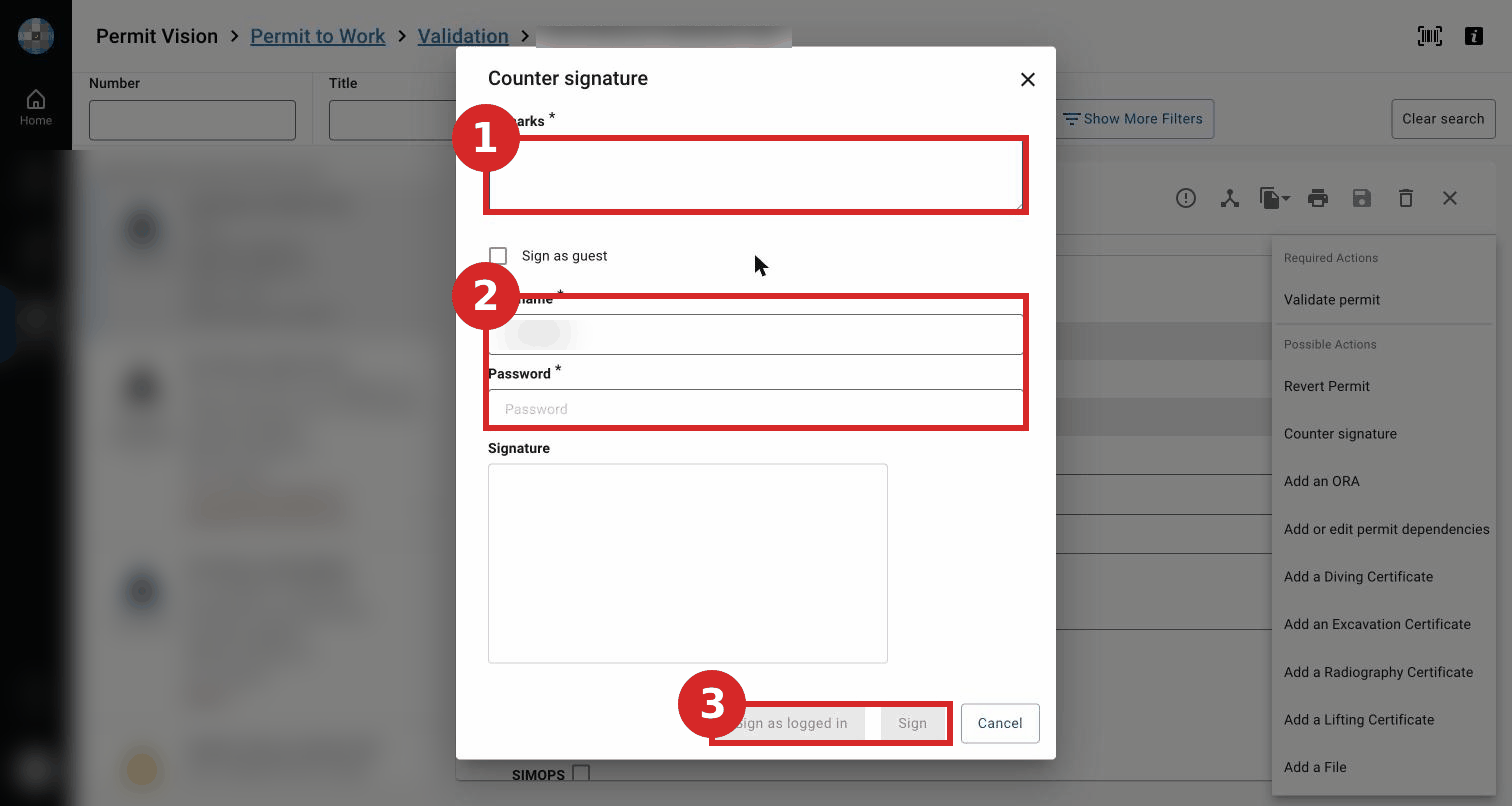
Expected result
The counter signature is recorded; the permit status is unchanged.
Key Referentiel rules
- Everyone with a role in the permit-to-work process is trained and authorised for that role. (CR-GR-HSE-402, executive summary)
- The pre-job briefing is documented and signed by the performing authority and each worker. (CR-GR-HSE-402, Req 3.5.2)
Tips & pitfalls
Tip — a counter signature is an acknowledgement, not an approval. It does not replace the workflow signatures.
Common mistakes
| Mistake | Consequence |
|---|---|
| Treating a counter signature as an approval | Workflow step not actually completed |