Issue a Permit
Status:  Awaiting Issue →
  Issued
Issue an authorised permit so that on-site work can begin, after confirming the prerequisite controls and the issuing period.
When to use
Use this task when a permit is in Awaiting Issue and you hold the Permit Control Authority role. Issue is the final control gate before work starts; for high-risk work it follows an on-site check.
Before you start — check before launching the task
- You hold the Permit Control Authority role (typical position: Permit Control Authority).
- The execution conditions and risk control measures have been checked on the work site (required for high-risk work).
- Any attached ICC must be in Isolation in Place (or LTI) and any attached INH in an authorised/in-place state.
- If an Initial environment measurement is required, it has been recorded by the Authorised Environment Tester (see Add Gas / Environment Measurements).
Step-by-step
- Open the Permit to Work list filtered on Issue and select a permit in Awaiting Issue.
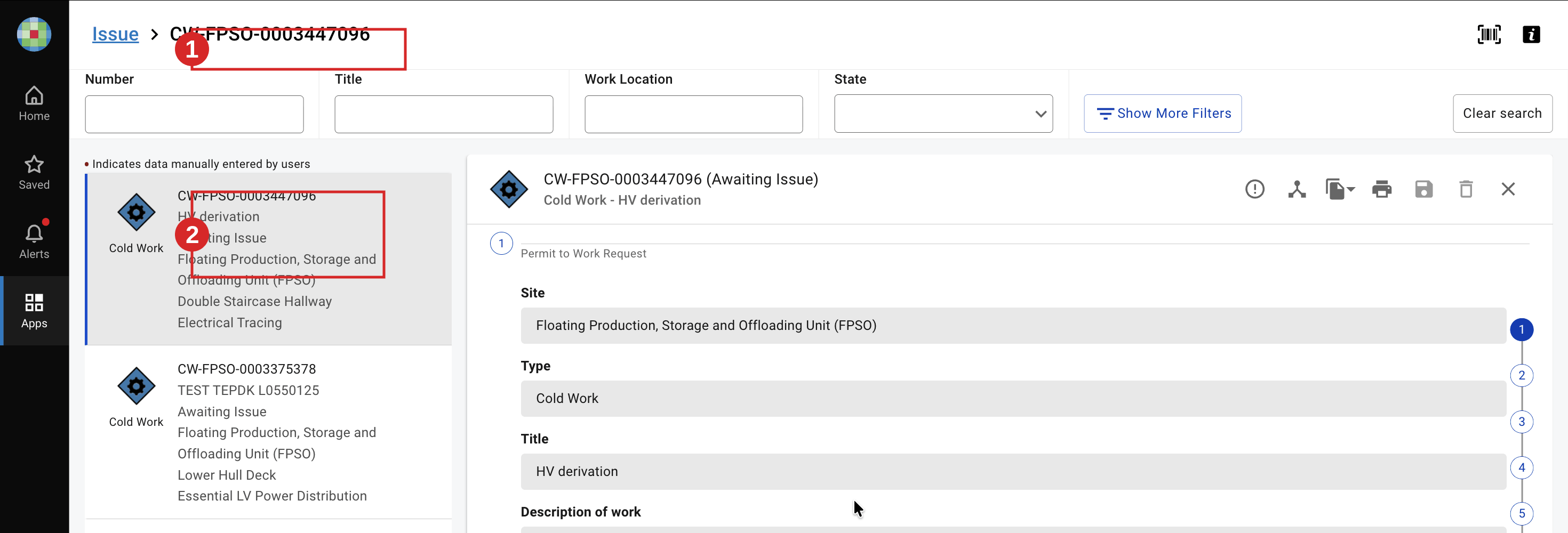
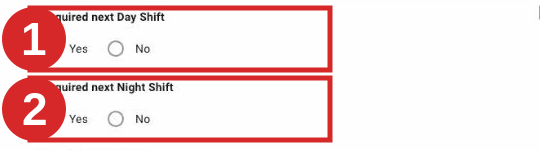
- Set Required next Day Shift and Required next Night Shift, then locate Issue by Permit Control Authority in the signatures.
- Click Sign. In the dialog, confirm the prerequisite control measures are in place (tick each control), and set the issuing period (From / To). The period cannot start more than 2 hours in the future and must fit within a single shift.
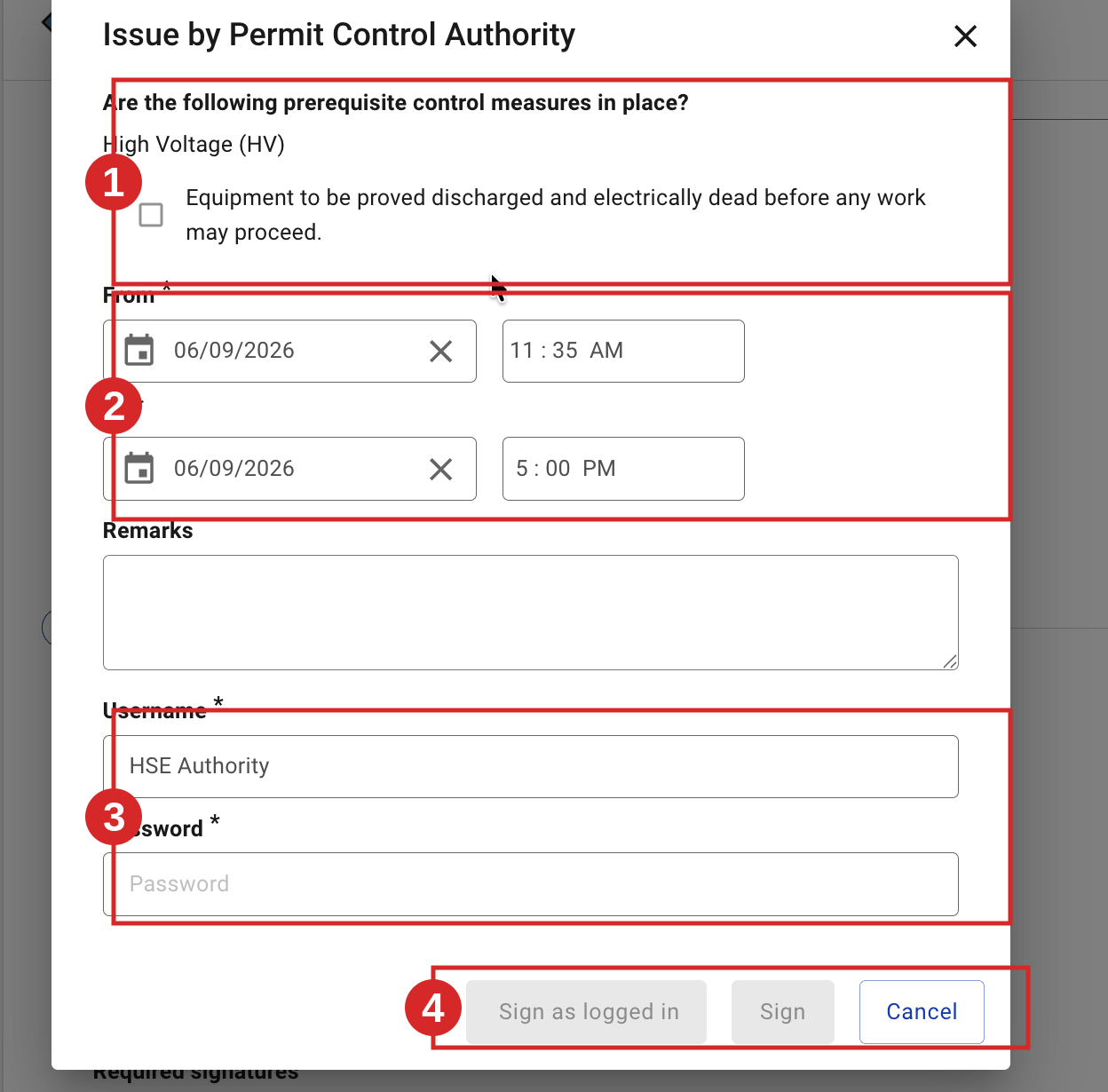
- Confirm with Sign as logged in or your username and password. The permit is issued.

Before you can issue: if a substance is set as Initial, its measurement must be recorded first — open Actions → Add Measurements, enter the values and validate
. An attached ICC/INH set to Full must be in its required state (e.g. ICC Isolation in Place) or the permit cannot be issued.
Expected result
The permit moves from Awaiting Issue to Issued, then awaits acceptance by the Performing Authority. The next task is Accept a Permit.
Key Referentiel rules
- Issue requires a prior check of the work site for high-risk work. The issuing authority (or checker) verifies that the safe state and the surroundings match the permit before issuing. (CR-GR-HSE-402, Req 3.5.1)
- A pre-job briefing and a "safety green light" are carried out after issue and just before work starts; they are repeated after any change or break. (CR-GR-HSE-402, Req 3.5.2)
- Issue is daily and countersigned. Any start of work is subject to a prior issue by the issuing authority and countersignature by the performing authority. (CR-GR-HSE-402, Req 3.5.1)
Tips & pitfalls
Tip — prerequisite controls are a checklist, not a formality. Confirm each control is physically in place before you tick it.
Pitfall — issuing too early. The issuing period must start within 2 hours and stay within one shift; otherwise re-issue at the right time.
Common mistakes
| Mistake | Consequence |
|---|---|
| Issuing without the on-site check (high-risk work) | Work may start with an unverified safe state; serious safety risk |
| Ticking prerequisite controls not actually in place | False assurance; control gap on site |
| Issuing period spanning two shifts | Permit invalid for part of the work; re-issue needed |