Open a Permit on Site
Status:  Awaiting Opening →
  Awaiting Activation →
  Live
Live
Open an accepted permit on site so the work becomes Live, after confirming the prerequisite controls are in place.
When to use
Use this task when a permit is in Awaiting Opening (it has been issued and accepted by the Performing Authority) and you hold the Operating Authority Representative role.
Before you start — check before launching the task
- You hold the Operating Authority Representative role (typical position: Production Operator).
- The prerequisite controls from the RAB/RAD (and any ORA) are physically in place on site.
- The Toolbox Talk (pre-job briefing) has been delivered to all workers by the Performing Authority, and the safety green light is given at the work location before work starts.
Step-by-step
- Open the permit in Awaiting Opening and locate Open by Operating Authority Representative in the required signatures.
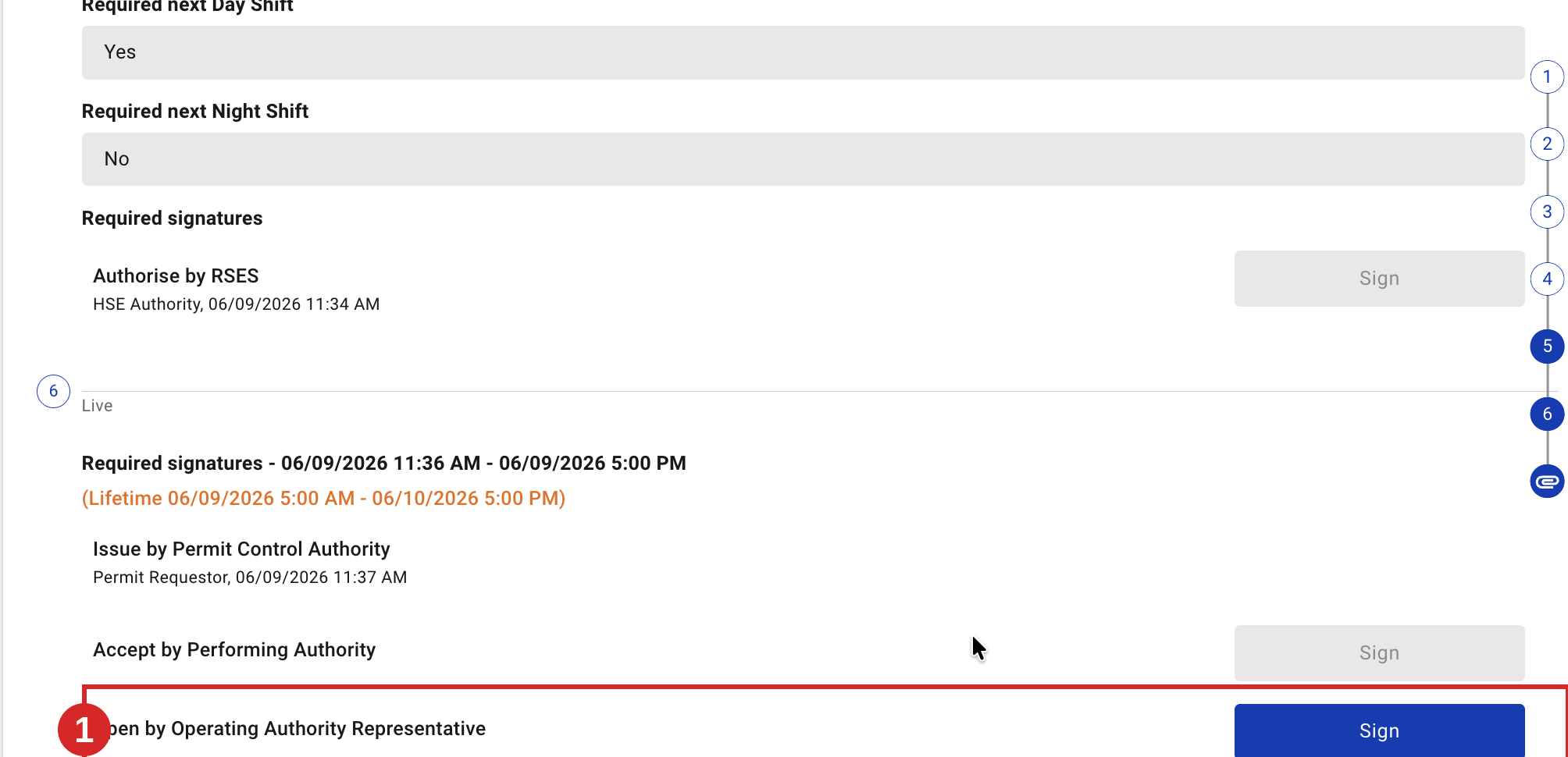
- Click Sign. Confirm the prerequisite control measures are in place, and check the period (From / To). These are the same controls confirmed at issue — tick each only when it is actually in place.
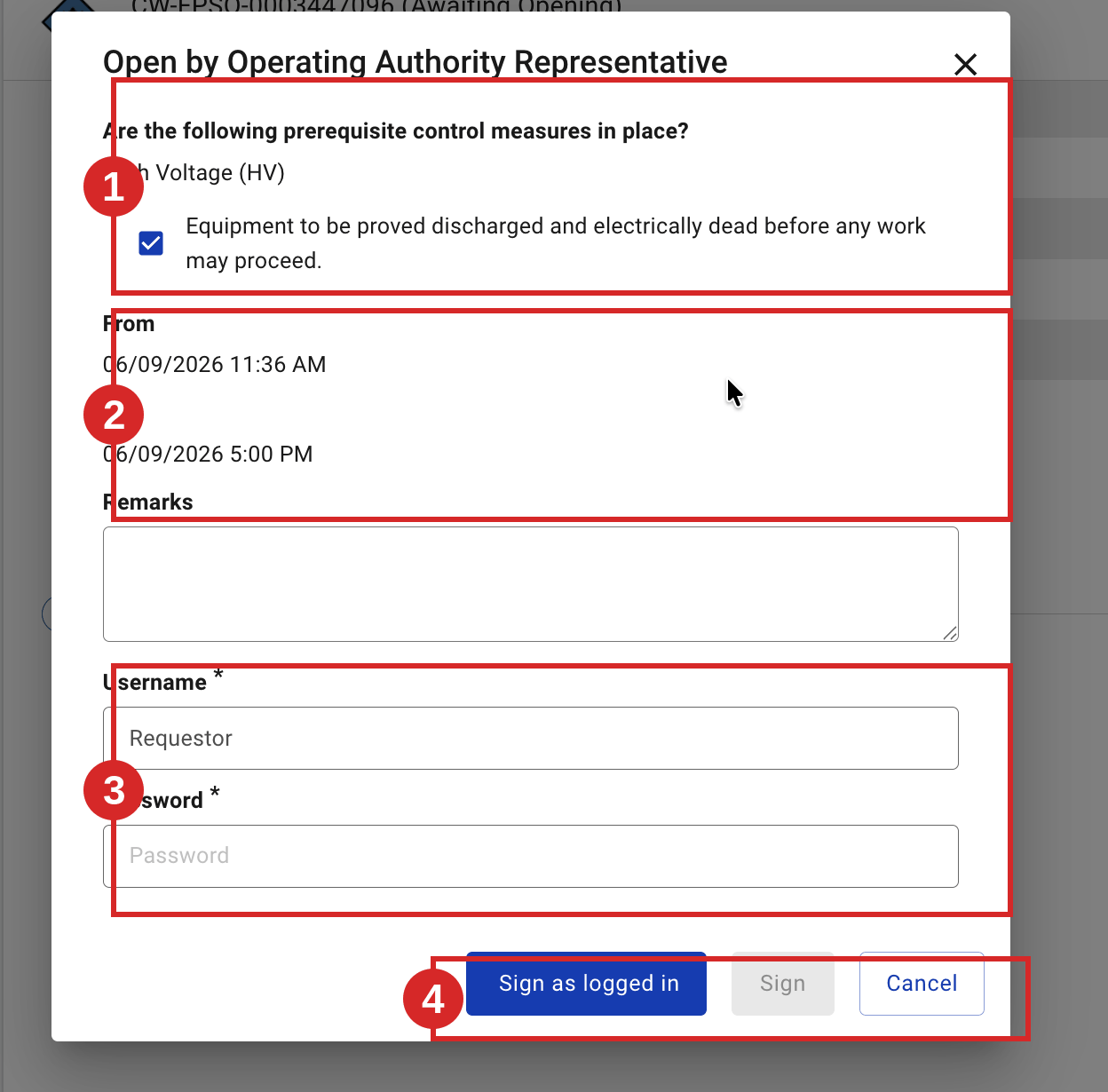
- Confirm with Sign as logged in or your username and password. The permit becomes Live. Depending on the validity window, it may pass through Awaiting Activation before it is fully Live.
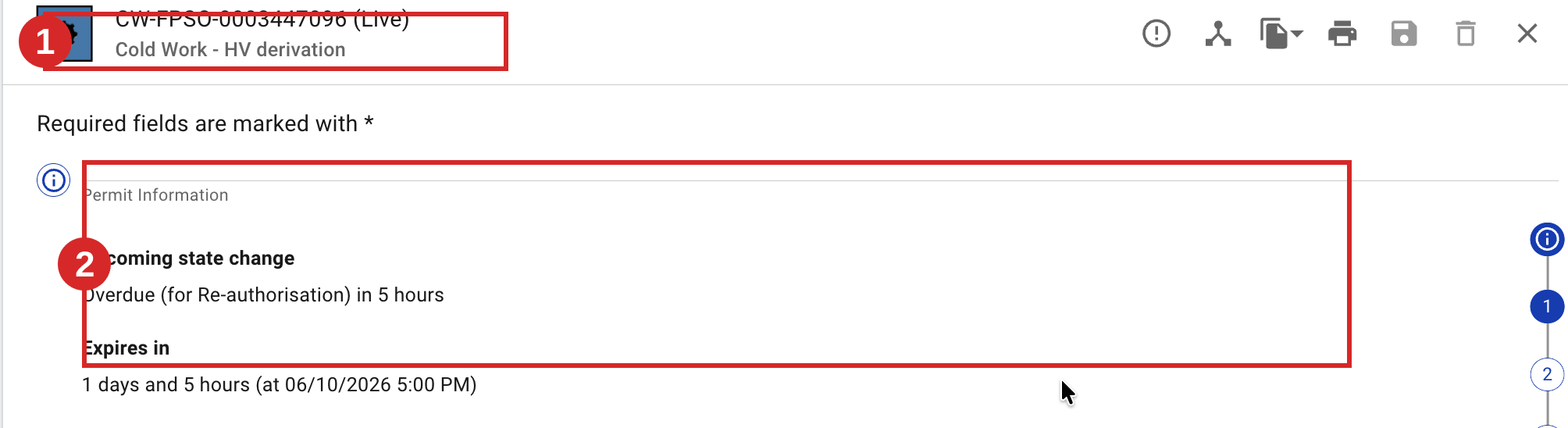
Expected result
The permit becomes Live and work is authorised for the issued period. When work ends or must pause, see Close a Permit or Suspend a Permit (Revalidation).
Key Referentiel rules
- A pre-job briefing (Toolbox Talk) and a "safety green light" are carried out before work starts. The Toolbox Talk explains the procedure, environment, risks and controls to all workers; it is documented and signed by the Performing Authority and each worker, and repeated after any team change. The green light is repeated after any break. (CR-GR-HSE-402, Req 3.5.2)
- Work site monitoring ensures the permit's measures and the Golden Rules are applied, and that work is suspended if conditions change. (CR-GR-HSE-402, Req 3.5.4)
- The performing authority countersignature confirms that, before work starts, the planned control measures are in place. (CR-GR-HSE-402, Req 3.5.1)
Tips & pitfalls
Tip — the green light is at the work location. Confirm conditions where the work happens, not from the control room.
Pitfall — opening before controls are in place. Confirm each prerequisite control physically, not on trust.
Common mistakes
| Mistake | Consequence |
|---|---|
| Opening without re-checking prerequisite controls | Work starts with a control gap; serious safety risk |
| Ignoring a change in site conditions since issue | The permit no longer matches reality; should be re-checked |