Accept a Permit
Status:  Issued →
  Awaiting Opening
As Performing Authority, accept responsibility for an issued permit so it can be opened on site.
When to use
Use this task when a permit is in Issued and you are the Performing Authority for the work.
Before you start — check before launching the task
- You hold the Performing Authority role (typical positions: Discipline Supervisor/Foreman, Electrical Isolator/Authority, ICSS Supervisor).
- You have read the permit, its risk assessment and the planned control measures, and you accept responsibility for the work.
Step-by-step
- Open the issued permit.
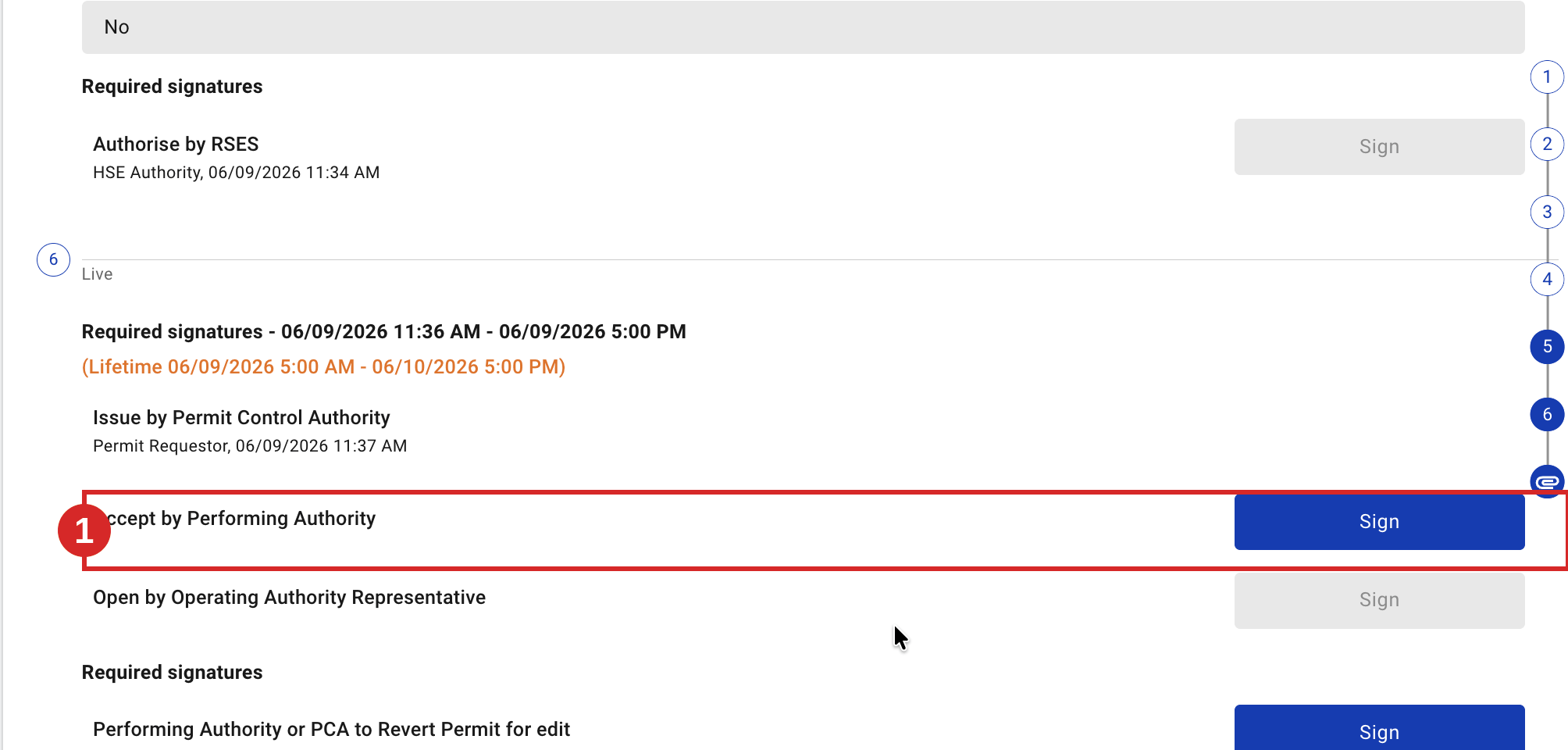
- Review the permit and the planned control measures.
- Sign Accept by Performing Authority.
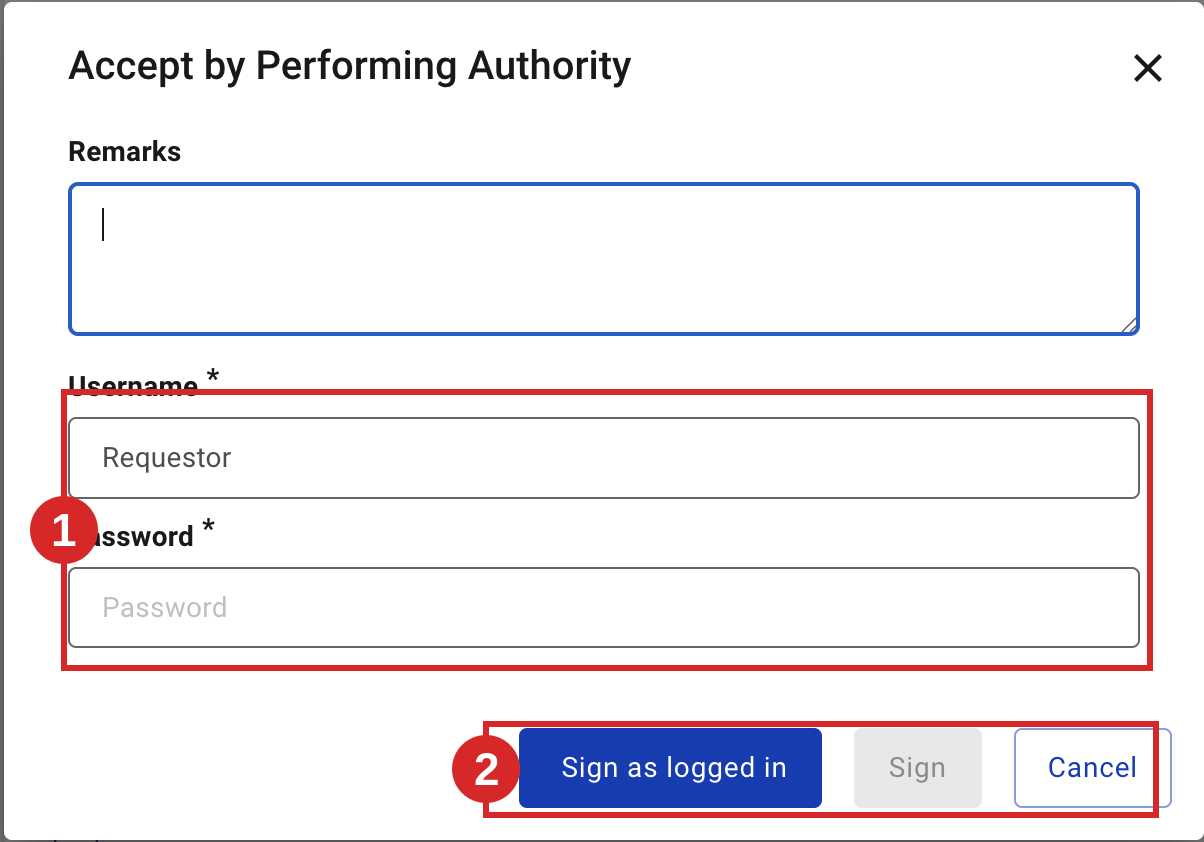
Expected result
The permit moves from Issued to Awaiting Opening. The next task is Open a Permit on Site.
Key Referentiel rules
- The performing authority countersigns the permit before work starts, confirming the planned control measures are in place and the supporting documentation is valid. (CR-GR-HSE-402, Req 3.5.1)
- A pre-job briefing (Toolbox Talk) is carried out after issue; the performing authority explains the procedure, environment, risks and controls to all workers, and it is documented and signed. (CR-GR-HSE-402, Req 3.5.2)
Tips & pitfalls
Tip — accepting means owning the controls. By accepting, you confirm you can implement the permit safely.
Pitfall — accepting a permit you cannot actually execute. If tools or conditions differ from the plan, raise it rather than accept.
Common mistakes
| Mistake | Consequence |
|---|---|
| Accepting without reading the controls | Work may start without the planned measures |
| Accepting when conditions differ from the permit | Permit no longer matches reality; should be reverted/cancelled |